


Numblock Factory Block Puzzle
4.87.00 Reviews
App Specs
- Version
- 1.0.11
- Updated On
- License
- Free
- Downloads
- 10,000+
- Developer
- Voxel Cube Games
- Categories
- Board
- Platform
- Android
Screenshots
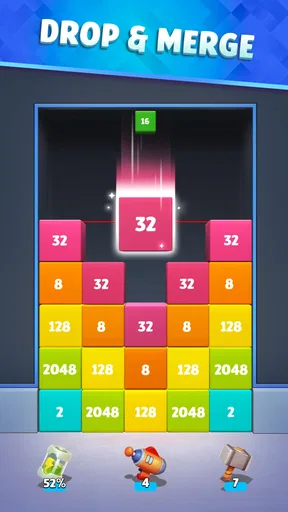
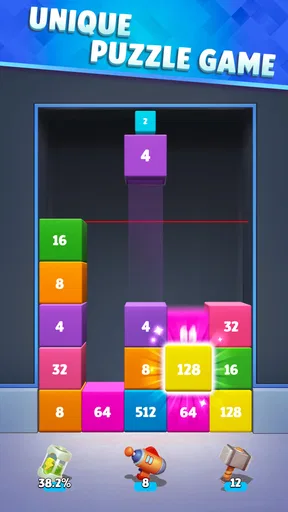
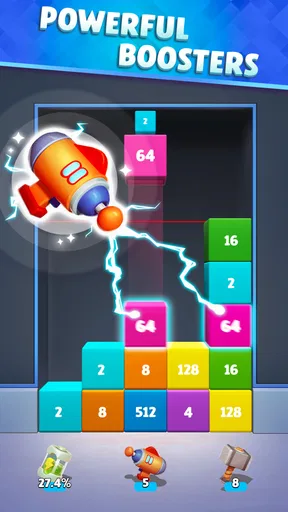
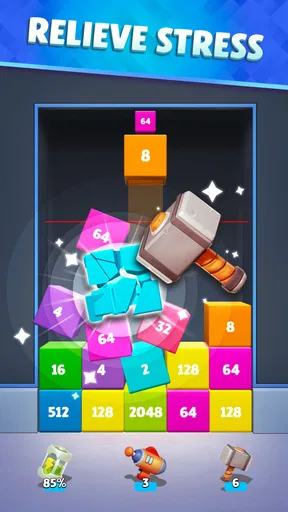
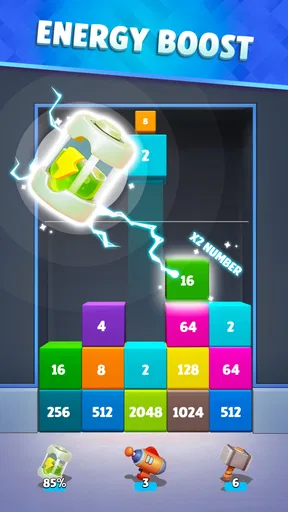
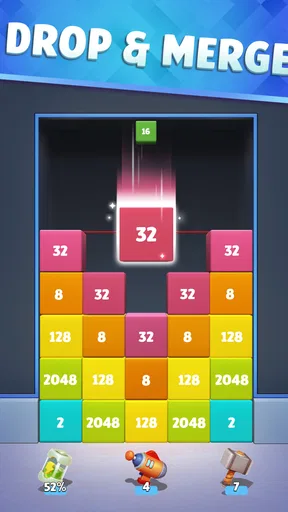
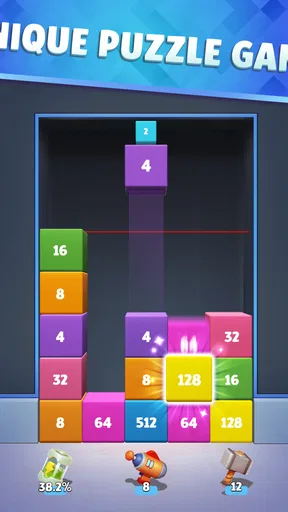
 Analysis by AppCompare
I approached Numblock Factory Block Puzzle as a quick board game for short sessions rather than something I would play like a story-driven title. Its central idea is easy to understand: numbered blocks appear in a three-dimensional space, and I combine matching values to build larger ones. That sounds simple, but the 3D presentation gives each move more weight than a flat number puzzle. I am not only watching the value of a block; I am also trying to read its position, notice what is hidden behind it, and avoid creating a crowded arrangement that limits my next move.
That makes this a good fit for people who enjoy calm, compact puzzle sessions and like the satisfaction of gradually improving a board. It is free to start, suitable for Everyone, and runs on Android devices using version 7.0 or later. Voxel Cube Games is the developer, and the game has built a strong early impression with a 4.8 average from around 150 ratings. I would still treat that score as an encouraging sign rather than a guarantee that every player will enjoy the same pace or visual style.
Where the board can make players hesitate
The first point of friction is not learning the rule. The basic merge concept is immediately approachable. The harder part is understanding the board as a three-dimensional workspace. A block that looks available from one angle may be partly obscured by another, and a move that seems productive can leave the next useful combination awkwardly positioned. I found that the game rewards looking at the whole arrangement before tapping rather than reacting to the most obvious pair.
This is where the title differs from familiar flat number puzzles. In a traditional two-dimensional layout, I can scan rows and columns quickly. Here, depth changes the reading order. I have to decide whether a visible match is genuinely convenient or whether it is merely blocking a more valuable future arrangement. New players may initially merge whenever two compatible blocks are close, then discover that the resulting larger block occupies the wrong place.
My most useful early habit was to pause briefly after every merge. I checked which blocks had become exposed, looked for pairs that could be connected without disturbing the rest of the board, and considered whether the new larger block would help or obstruct the next move. This is a small change, but it turns the game from random tapping into a more deliberate board puzzle.
Another possible stumbling point is the difference between a visually satisfying move and a strategically sound one. A large merge feels like progress, yet it may consume the only flexible space near the center of the arrangement. When the board begins to fill, empty positions become more valuable than immediate points or visual growth. I therefore learned to preserve open areas whenever possible, even when that meant postponing a merge that looked attractive.
Reading the 3D layout before making a move
I recommend treating the board like a small storage area. Think about which blocks are accessible, which ones are acting as barriers, and where a newly combined block will sit. If two matching blocks are separated by a crowded section, forcing that connection may create more trouble than it solves. A safer move is often the one that keeps several routes open.
Worth Reading Before You Choose

EA SPORTS FC Mobile 26 Is a Bigger Football Game, but It Takes Time

Flipboard Shows What News Apps Must Do Beyond the Feed

Switching to Android Auto Means Rethinking Your Driving Routine

Google Calendar Makes a Crowded Week Easier to Manage

Ludo King Makes the Most of the Minutes Between Plans

Baby Panda World Brings Quick Play to Modern Phones, but Its Game Library Feels Busy
This approach is especially helpful on a phone, where the display is compact and fine positional differences are easy to miss. I found that playing with the device held steadily made the arrangement easier to judge than constantly changing my grip. It also helps to avoid tapping rapidly. Fast input can make a player lose track of whether a merge has fully registered or whether the board has already changed.
The game is most enjoyable when I accept that not every session will produce a perfect run. It has the familiar appeal of a number puzzle, but the 3D structure introduces uncertainty. That uncertainty is part of the challenge, not necessarily a flaw. Players who want a completely predictable grid may prefer a classic flat alternative, while players who enjoy spatial decisions should find more personality here.
Setup checks before blaming the game
Because this is a lightweight board game, getting started should be straightforward, but a few practical checks can prevent needless frustration. I would first confirm that the Android device meets the minimum operating-system requirement of 7.0. If the game does not install, closes immediately, or behaves strangely before play begins, compatibility is a more sensible first check than assuming the puzzle itself is broken.
The game is listed as free, which makes it easy to try without an upfront purchase. It does include optional in-app purchases ranging from $0.99 to $94.99 per item, so I would review purchase controls before handing the device to a child, even though the content rating is Everyone. That is not a criticism of the puzzle mechanics; it is simply a useful setup step for any free game that presents optional spending.
I would also make sure the installation has completed properly and that the device has enough working storage for normal app updates. If the game opens but the screen does not respond correctly, closing other demanding apps and restarting the device is a reasonable first action. These are ordinary checks, but they distinguish a local device problem from an issue caused by the game.
The current version is 1.0.11. Keeping the installed version current is worthwhile because early releases can receive fixes or adjustments that are not obvious from the basic description. If a problem begins after an update, I would note exactly what changed: whether it affects launching, touch input, visual placement, or saved progress. That detail makes troubleshooting more useful than simply saying that the game “does not work.”
Small preparation choices that improve a session
I prefer starting a session with notifications and unrelated distractions reduced. This is not because the game requires long concentration; it is because a short interruption can make me forget which blocks I was preserving and which pair I intended to merge. A quiet setup makes the spatial element easier to follow.
Screen brightness and viewing angle can matter more here than in a plain menu-based game. The board relies on visible separation between blocks, so glare or an awkward angle can make depth harder to read. If the arrangement looks confusing, I first adjust the phone position and lighting before assuming the game has misplaced a block.
For younger players, I would explain the spending side separately from the puzzle rule. The game’s Everyone rating makes it approachable, but free installation and optional purchases are different questions. A quick family check of device purchase settings is sensible, especially if the phone or tablet is shared.
Recovering a session when the workflow goes wrong
When I make a poor move, my first instinct is sometimes to restart immediately. That can be useful, but it also hides what caused the position to deteriorate. A better recovery exercise is to identify the decision that reduced flexibility. Did I merge too close to a crowded edge? Did I use a matching block that could have opened a route? Did I focus on the largest visible combination instead of maintaining several smaller options?
This matters because the game’s learning curve comes from board reading, not from memorizing a complicated rule set. If I replay a similar situation, I can test a different priority: keep the central area open, delay a blocked merge, or build toward one larger block only after checking the surrounding spaces. That turns an unsuccessful session into practical information.
One of my favorite recovery methods is to slow down after the board changes. The newly created block can alter the whole arrangement, and the best next move may not involve the block I just made. I scan from the outside inward, checking exposed pairs before returning to the most prominent number. This prevents tunnel vision and often reveals an easier move that I missed while concentrating on the previous merge.
If touch input appears to fail, I would avoid repeatedly tapping the same place. First I would check whether the intended block is actually selectable, whether another block is covering it, and whether the board has finished updating. Then I would try a single deliberate tap in a clearer area. If the entire screen stops responding, I would leave the game, reopen it, and see whether the problem is limited to one session.
For progress-related trouble, I would be cautious before clearing app storage or reinstalling. Those actions can remove local information, depending on how the app handles progress. I would try a normal restart first and record the situation before taking a more destructive step. Since I cannot assume that every device handles saved game state in the same way, preserving the current installation is the safer first choice.
Using the game as a short, repeatable routine
The strongest everyday use case is a five-minute break. I can play a few moves while waiting for an appointment or during a pause between tasks, then stop without needing to remember a complicated story or multiplayer schedule. The board gives the session a clear focus, and the merge loop is easy to return to after a short interruption.
For that kind of use, I suggest setting a personal goal that is not only “make the biggest block.” I might instead try to keep the board open for longer, avoid a particular type of crowded placement, or make each move after a full scan. These goals make the game more interesting when a high-value merge is not immediately available.
There is also a useful contrast between relaxed play and improvement-focused play. In relaxed mode, I can merge naturally and enjoy the visual growth of the blocks. In improvement mode, I treat every placement as a resource decision. Switching between those mindsets keeps the game from feeling like a test every time I open it.
When the app is not the cause
Not every frustrating session points to a software fault. A board can become difficult because the previous choices left too little room, and the 3D view can make that consequence feel sudden. Before reporting a problem, I would check whether the same behavior happens repeatedly in a fresh session or only after a particular sequence of moves. A repeatable launch or input failure is different from a position that is simply hard to solve.
Performance can also be affected by the phone itself. If other apps are running heavily, the device is low on available storage, or the system has been active for a long time, closing background apps and restarting may help. I would not jump straight to reinstalling, because that can create a new progress problem while failing to address the original device condition.
Visual confusion deserves a similar distinction. If blocks appear difficult to separate, I would test the game in better lighting, hold the phone at a direct angle, and check whether the issue affects the whole display or only the crowded board. If other apps show the same touch or display behavior, the likely source is broader than this puzzle.
Players should also be realistic about what this game offers. It is a focused board experience, not a replacement for a large strategy game, a social match-based title, or a long-form campaign. Its appeal comes from compact decisions and repeatable play. Someone looking for extensive progression, a narrative, or direct competition may be happier with a different category of game.
The optional purchase range is another reason to decide what kind of player you are before spending. I would play the free version long enough to understand whether the basic merge loop holds my attention. If the spatial puzzle itself does not feel satisfying, purchasing extras is unlikely to fix that. The best reason to continue is enjoyment of the board decisions, not pressure to chase a larger result.
My practical verdict after settling into the puzzle
Numblock Factory Block Puzzle works best when I approach it as a thoughtful 3D number board rather than a mindless matching toy. The rules are friendly, but the arrangement demands attention. Its biggest strength is the way depth changes familiar merge decisions: accessibility, spacing, and future movement matter alongside the numbers themselves.
I would recommend it to players who like short solo puzzles, gradual improvement, and games that can be understood quickly but played more carefully over time. It is also a sensible choice for someone who wants a free board game that does not require a large time commitment. The Everyone rating makes it broadly approachable, while the Android 7.0 minimum keeps the technical entry point relatively accessible for compatible devices.
I would skip it if I strongly prefer flat grids, instant reactions, or a clearly scripted progression. The 3D layout can feel less readable than a conventional number board, especially on a small screen or when the arrangement becomes crowded. Players who want rich social features or a substantial campaign should look elsewhere rather than expecting this compact format to grow into something it is not.
After trying different ways to read the board, my advice is simple: protect open space, pause after every merge, and treat a failed run as a lesson about positioning. Those three habits reveal the game’s real depth without making it feel overly serious. With around 10K installs and a current version of 1.0.11, it is still a relatively modest title, but the positive rating suggests that its focused formula is connecting with players.
My final recommendation is to try it for the puzzle itself, not for the promise of endless features. If you enjoy watching a small 3D arrangement evolve and like making careful choices under limited space, this free board game is easy to recommend. I would simply keep expectations grounded, check the device setup first when something goes wrong, and remember that the most satisfying progress comes from better placement decisions rather than from rushing toward the largest visible merge.
Pros
- Simple controls make it easy to learn within a few minutes.
- Short rounds work well for quick breaks or casual play.
- Number-based mechanics add a light arithmetic challenge.
- Gradually increasing difficulty keeps basic puzzles from feeling repetitive.
- Offline play makes it convenient when traveling or without mobile data.
Cons
- Later levels can feel repetitive if you prefer constantly changing gameplay.
- Limited strategic depth may not satisfy experienced puzzle players.
- Mistakes can be frustrating when one poor placement ruins the board.
- Ads may interrupt the flow
- depending on the version and device.
- Small number blocks can be difficult to distinguish on compact screens.
FAQs for Numblock Factory Block Puzzle
What is Numblock Factory Block Puzzle?
Numblock Factory Block Puzzle is a number-based puzzle game that combines block placement with merging mechanics. You arrange numbered pieces on a board and combine matching values to create higher numbers, while trying to keep enough space available for future moves. Its simple rules make it easy to start, but planning several moves ahead becomes increasingly important as the board fills up.
How do you play Numblock Factory Block Puzzle?
The main objective is to place the available numbered blocks on the grid and merge blocks with matching numbers whenever possible. Successful combinations usually produce a larger-value block and free some space. Before confirming each move, it is worth checking the next available pieces, protecting open areas, and avoiding arrangements that leave isolated blocks or make future combinations difficult.
Is Numblock Factory Block Puzzle free to download and play?
Numblock Factory Block Puzzle can generally be downloaded for free, although the exact availability of advertising, optional purchases, or other monetization features may depend on the version and platform. You should check the app store listing before installing it to review the current in-app purchase information, supported devices, age rating, and any regional differences.
Does Numblock Factory Block Puzzle require an internet connection?
Puzzle games of this type are often playable offline, which makes them convenient for short sessions while travelling or when a reliable connection is unavailable. However, features such as advertisements, cloud saves, leaderboards, events, updates, or purchases may require internet access. After installation, test the game in airplane mode to confirm which functions remain available on your device.
Is Numblock Factory Block Puzzle suitable for children and casual players?
The straightforward block-and-number gameplay is suitable for casual players who enjoy relaxing challenges and progressively improving their scores. It does not usually require fast reflexes, but it does reward concentration, spatial awareness, and basic planning. Parents should still review the store’s age rating, advertising policy, and purchase settings before allowing younger children to play.


